Gamuroid: Retro Game Emulator
- 4.4
- Rating
- 1.00M
- Installs
- Free
- Price

 Analysis by App-foxy
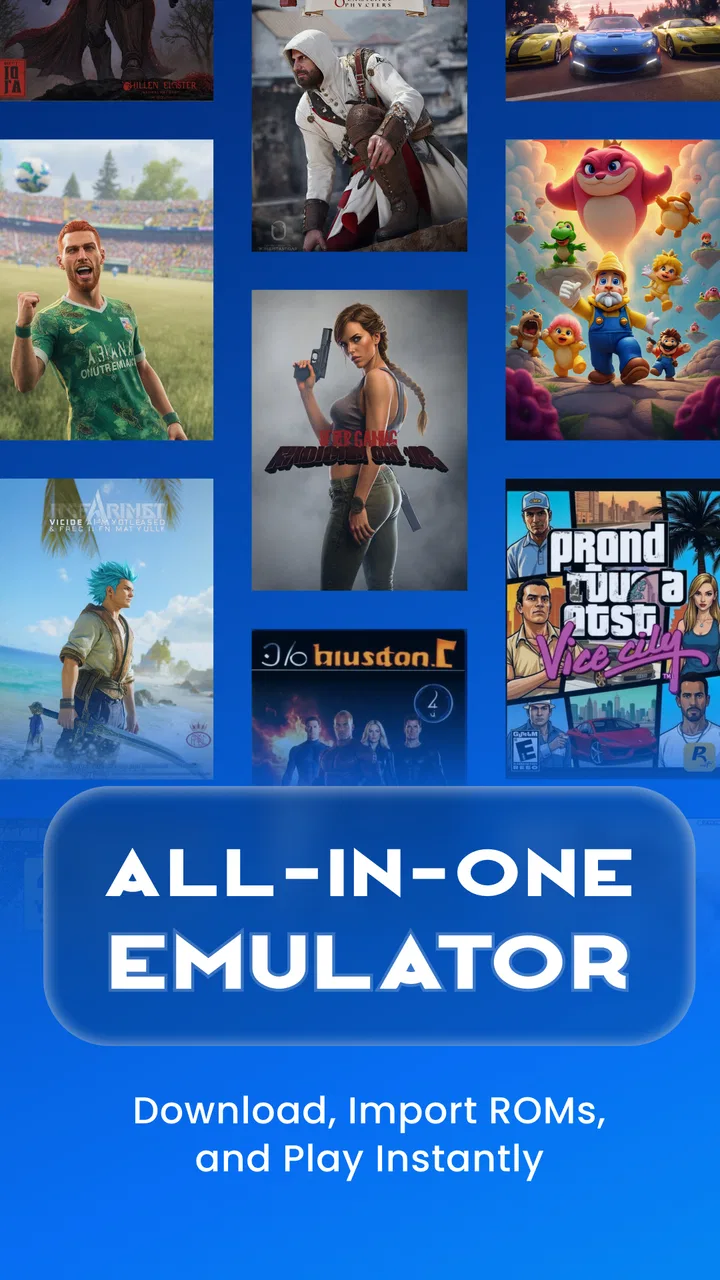
I approached Gamuroid: Retro Game Emulator as a practical tools app rather than simply a way to launch old games. Its main appeal is concentration: instead of keeping separate emulators for different classic systems, it brings support for PSP, PSX, PS2, NES, Game Boy, Game Boy Advance, DS, N64, and more into one Android app. That makes it interesting for anyone who wants a single place to organize legally obtained game files and test how a broad range of older hardware works on a modern phone.
My first impression was that the idea is more useful than the short store description suggests. A multi-system emulator can reduce app switching, but it also has to handle very different control layouts, performance demands, screen shapes, and save habits. That is where the experience becomes less straightforward. I found Gamuroid most appealing for curious retro players who enjoy adjusting an app to their device, while people looking for a perfectly effortless console replacement may prefer a dedicated emulator for one system.
How the interface supports readable, manageable navigation
The biggest accessibility advantage is the all-in-one approach. When several systems are available from one place, I do not have to remember which separate emulator belongs to which game. That lowers the mental effort of managing a retro collection, especially for someone who is new to emulation or does not want a folder full of nearly identical tools. The developer, Metaverse Labs, has positioned the app in the tools category, and that feels appropriate: the value comes from organizing and running software, not from adding a new game library of its own.
You May Also Like

 Blood Strike: 2.5 Anniversary
Blood Strike’s Loadouts Turn Every Drop Into a Tactical Gamble
A close look at Blood Strike’s custom loadouts: how fast access to signature weapons reshapes its battle royale rhythm, rewards preparation, and narrows the gap between fights.

 Pandora - Music & Podcasts
Pandora’s Music Is Easy to Start, but Harder to Recover
Pandora’s strength is its low-effort path from a seed to a station. Its weak spot is how much confidence it asks you to place in connection, setup, and quiet recovery.

 8 Ball Pool
 Is Built on Rivalries, Rematches, and Routine
A close look at the rivalries, rematches, shared routines, and unanswered safety questions that turn a quick pool match into a persistent mobile community.

 Samsung Music
’s Quiet Strength Is Playing What You Already Own
Its reach comes less from spectacle than from dependable access to a personal library. That simplicity is both the app’s strongest retention engine and its ceiling.

 AccuWeather: Weather Radar
AccuWeather Review: A Quick, Clear Forecast for Everyday Decisions
For everyday plans, the best forecast is the one you can understand quickly. AccuWeather makes rain timing, radar, and local conditions easy to act on, with a few trade-offs.

 Hill Climb Racing
Why Hill Climb Racing Still Turns Crashes Into One More Run
A tiny car, a bumpy hill and one more upgrade: Hill Climb Racing keeps resurfacing because its simple chaos makes every near-miss feel personal.
More From Our News Desk



For readability, the most important practical choice is how I arrange my files and identify them. Clear filenames and a simple folder structure make a bigger difference than decorative interface elements. I recommend naming files with the game title and system where possible, then keeping each platform in its own folder. That workflow makes scanning easier and reduces the chance of launching the wrong version when several files look similar.
The app is free to install, which makes trying that workflow low-risk. Its age rating is Everyone, so the basic presentation is intended for a broad audience. Optional in-app purchases range from $0.99 to $39.99 per item, so I would still check the purchase screen carefully before confirming anything. The free entry point is helpful, but “free” does not mean every optional part of the experience has the same cost.
Gamuroid has a 4.4 average from around 57K ratings, with over a million installs. Those figures suggest that the concept has reached a substantial Android audience, but they do not tell me whether it will suit a particular phone, eyesight, or control preference. Emulator comfort depends heavily on screen size, processing power, touch response, and the way a person holds the device.
One useful habit is to evaluate the interface during a short session rather than immediately importing a large collection. I would start with one game from a less demanding system, confirm that the menus are understandable, and only then add more platforms. This makes troubleshooting much easier. If something feels confusing, I know the problem is probably the setup or the current device rather than a large collection with several possible causes.
Why one app can be easier than several specialized tools
Compared with using separate emulators, the unified approach is less cluttered and easier to explain to another person. If I were helping a family member play a legally backed-up classic game, I would rather guide them through one general-purpose tool than ask them to learn a different interface for every console. That is a meaningful benefit for users who find app switching, repeated settings, or multiple launchers tiring.
The trade-off is that a broad tool may not expose every system in exactly the same way. A person who wants deep, platform-specific configuration may find a dedicated emulator more comfortable because its menus are designed around one console. Gamuroid is therefore strongest when convenience matters more than absolute specialization.
Controls, vision, hearing, and physical comfort
Touch controls are the first area where individual needs become especially important. Retro systems were designed around physical buttons, while a phone offers a flat glass surface with no tactile confirmation. For short sessions, that can be fine. During fast platforming, fighting, racing, or action games, I found the lack of physical feedback can make mistakes more likely. Someone with limited finger movement, reduced precision, or hand fatigue may notice this sooner than a player using a traditional controller.
A compatible external controller can change the experience considerably, but I would not assume that every controller or layout will feel identical. Before committing to a long session, I would test the directional pad, shoulder buttons, and repeated inputs with a simple game. The most useful setup is not necessarily the one with the most buttons; it is the one that lets the player reach essential controls without stretching or gripping the phone awkwardly.
There is also a practical compromise for users who prefer touch. I would rotate the phone only if that makes the virtual controls easier to reach, then adjust the grip before starting a demanding game. Keeping the device supported on a stand or stable surface can reduce wrist strain. This is a small change, but it matters because an emulator session can become uncomfortable long before the software itself stops working.
Visual accessibility is more complicated. A phone screen can make small interface text, compact icons, and crowded virtual buttons difficult to distinguish, particularly outdoors or for someone with low vision. Increasing the device’s system text size may help with Android menus, but it should not be treated as a guarantee that every part of the emulator will scale in the same way. I would test the app in the lighting where I actually plan to play, not only indoors at full brightness.
For users sensitive to motion or visual clutter, fast scrolling, flashing game imagery, and rapid camera movement come from the emulated software as well as the app. Choosing slower-paced games and taking regular breaks is more realistic than expecting one emulator setting to solve every sensory issue. If a particular title causes discomfort, changing the game may be more effective than continuing to adjust the launcher.
Hearing-related access is similarly dependent on the game and the phone. I would not rely on sound cues alone for important events, because classic games vary widely in how much information they communicate visually. Using captions or visual indicators where the original game provides them can help, but those options belong to the individual title rather than being something I would assume across the entire catalog.
A realistic everyday setup
Imagine I have a short commute and want to play for ten minutes while seated. I would keep a small selection of legally obtained files in clearly named folders, open the app, choose a platform, and use a controller if the phone’s touch buttons feel cramped. For that situation, having several systems in one tool is convenient because I can switch from a quick handheld game to a longer console title without installing another application.
If I were playing while standing, walking, or sharing a crowded space, my expectations would change. Touch controls may be harder to use accurately, and a controller may be impractical to carry. In that context, I would choose a slower game, keep the session brief, and avoid relying on precise button combinations. The app can make the software available, but it cannot remove the physical limits of the environment.
Another useful scenario is travel with inconsistent attention. A unified emulator lets me keep several types of games ready without learning multiple launchers, but I would prepare everything before leaving. Testing files, controls, and save behavior at home is much less frustrating than discovering a setup problem when I have limited time or connectivity.
Where the broad emulator approach still creates barriers
The first barrier is legal and organizational rather than visual or physical. An emulator is not the same thing as a collection of games. I would use it with game files I am allowed to use and would avoid treating the app as a source of copyrighted downloads. Anyone expecting an instant catalog of ready-to-play titles may be disappointed, because the usefulness of the tool depends on having appropriate files and knowing how to manage them.
The second barrier is hardware variation. Supporting demanding systems such as PS2 alongside much older handheld platforms creates very different expectations. A phone that handles simple 2D games comfortably may not deliver the same result with more demanding software. I would not judge the app after testing only one platform, and I would not assume that the most ambitious system listed will perform identically on every Android device.
Gamuroid requires Android 7.0 or later, which keeps it available to many existing phones while still excluding older devices. The current version is 5.7.3, so I would keep the app updated when possible, particularly if I am testing several systems or moving between phones. Updating does not guarantee that a specific problem will disappear, but using an old build can make troubleshooting harder.
Save management is another area where I would be careful. Retro players often rely on both ordinary in-game saves and quick emulator states, and those are not interchangeable habits. I would create a normal in-game save before experimenting with settings, then use quick states for temporary pauses. This gives me a safer recovery path if a state becomes confusing or if I move between devices.
That distinction is especially important for people who have memory, attention, or executive-function difficulties. A quick state is convenient because it captures a moment immediately, but it can also encourage a messy collection of unclear saves. I recommend using a simple routine: one named in-game save for progress, quick states only for short interruptions, and occasional checks that the expected save still loads.
There is also a learning curve around troubleshooting. When a game behaves badly, the cause could be the file, the selected system, the phone, the controls, or a setting. A beginner may find that uncertainty tiring. The best response is to change one thing at a time and keep notes about what worked. If I changed several options at once, I would lose the ability to identify the useful adjustment.
People who need strong tactile controls, highly predictable platform-specific behavior, or minimal setup may be better served by original hardware, a dedicated console, or a specialized emulator. That is not a failure of Gamuroid; it is a reminder that one app cannot optimize every classic system and every access need simultaneously.
Who will benefit most from this app
I would recommend it to Android users who want variety, are comfortable organizing their own files, and enjoy a little experimentation. It is particularly appealing for someone who wants handheld and home-console emulation in one place, or for a household where different people prefer different retro systems. The free starting point also makes it sensible to test on a personal device before buying accessories or investing time in a larger setup.
I would be more cautious recommending it to someone who wants a completely hands-off experience. If large virtual buttons, tactile feedback, screen magnification, or one-system simplicity are essential, a dedicated solution may be easier. The same is true for users with an older or less capable phone who mainly want demanding console emulation. In those cases, a narrower app with fewer targets may offer a more predictable experience.
For users with motor limitations, I would treat an external controller as part of the decision rather than an optional luxury. For users with visual sensitivities, I would begin with slower games and test the display in realistic lighting. For users who share a device, I would keep separate folders and save routines so that one person’s progress does not become another person’s confusion.
My inclusive verdict after weighing convenience against control
Gamuroid succeeds because it reduces the number of tools needed to explore a large slice of retro gaming. Its support for many systems, free installation, and single-app workflow make it approachable for curious players who value convenience. I also like that the same basic idea can adapt to different contexts: touch play for a quick session, a controller for precision, and careful file organization for a calmer experience.
Its accessibility is practical rather than automatic. The app can simplify navigation between systems, but it cannot guarantee comfortable text, tactile feedback, consistent performance, or suitable sensory conditions for every person. Those parts depend on the phone, controller, game, lighting, and the user’s own preferences. I would describe it as flexible, not universally effortless.
The smartest way to start is to install it on the device you actually plan to use, test one lightweight game, check the controls, and establish a clear save routine before expanding. That approach answers the most important questions early: whether the screen is readable, whether touch input is comfortable, whether the phone handles the chosen system, and whether the setup feels manageable.
Metaverse Labs has made a useful broad-spectrum tool for Android retro enthusiasts, but breadth comes with compromises. I would choose Gamuroid when I want one organized place for many legally owned classics and do not mind learning the basics. I would skip it in favor of a dedicated alternative when a specific system, physical accessibility requirement, or highly polished specialized workflow matters more than having everything together. For the right user, its greatest strength is adaptable convenience, not perfect simplicity.
FAQs for Gamuroid: Retro Game Emulator
01What is Gamuroid: Retro Game Emulator, and what systems does it support?
Gamuroid: Retro Game Emulator is an Android app designed to run games from several classic console platforms on a mobile device. Its compatibility can include systems such as Game Boy, Game Boy Color, Game Boy Advance, NES, SNES, Sega Genesis, and other supported formats, depending on the version. Before downloading, check the current listing because supported consoles and features may change.
02Does Gamuroid include games, or do I need to provide my own ROM files?
Gamuroid generally functions as an emulator rather than a game store, so it may not include commercial games with the installation. You normally need to load compatible ROM files yourself, ideally from games you legally own or have permission to use. Downloading copyrighted ROMs from unauthorized websites can violate copyright law, so users should verify the rules applicable in their country before using external files.
03Can I use a Bluetooth controller with Gamuroid?
Gamuroid is intended to make classic games playable on a touchscreen, but many users may prefer a physical controller for more accurate movement and button input. Depending on the device and app version, Bluetooth or USB gamepads may be supported through Android’s controller settings. Compatibility can vary between controllers, phones, and individual games, so testing button mapping may be necessary.
04Does Gamuroid support save states and regular in-game saving?
One of the most useful features to look for in a retro emulator is the ability to save progress quickly. Gamuroid may provide standard game saving and, depending on the supported platform and version, save-state functionality that lets you resume from an exact point. Users should test saving with each game, because some titles or formats may behave differently and save files can be affected by moving or deleting ROMs.
05Is Gamuroid free, and does it require an internet connection?
Gamuroid may be available as a free download, although availability, advertising, permissions, and optional features can change with updates. Once the emulator and legally obtained game files are installed, many classic games can usually be played offline. Internet access may still be required for downloading the app, checking updates, displaying advertisements, or using any online-related feature included in the current release.
Pros
- Supports many classic console systems in one app.
- Simple interface makes browsing and launching games easy.
- Save states let you pause and resume progress quickly.
- Customizable on-screen controls improve play on touch devices.
- Works offline once legally obtained game files are loaded.
Cons
- Game files are not included and must be obtained legally by users.
- Performance can vary depending on the device and emulated system.
- Touch controls may feel awkward for fast-paced games.
- Some advanced emulator settings may confuse beginners.
- Compatibility and features can differ between Android devices.

Gamuroid: Retro Game Emulator
Gallery